n8n OpenAI Integration: Classify, Summarise, and Generate Text
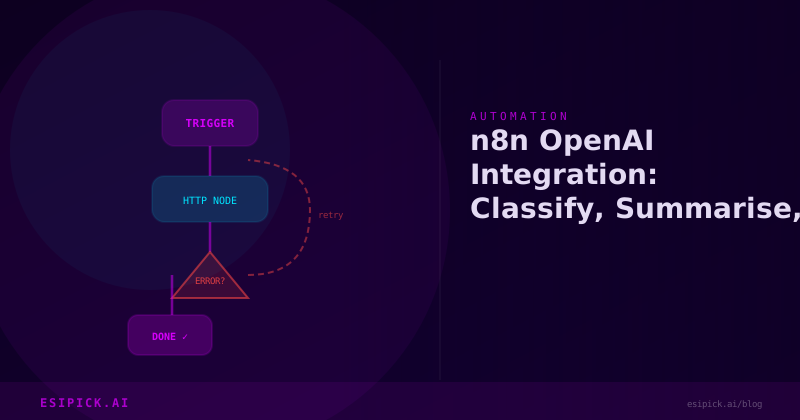
n8n OpenAI Integration: Classify, Summarise, and Generate Text
After 15 years in automation, I've seen plenty of workflow tools promise the world. But the n8n OpenAI integration genuinely changed how I approach text processing at scale. What once required custom Python scripts and API management now takes minutes to set up visually. Today, I'm sharing exactly how I use it to classify customer inquiries, summarize feedback, and generate personalized content across dozens of active workflows.
If you've been thinking "wouldn't it be nice to automate our text work?" without knowing where to start, this post walks you through three real scenarios I handle weekly.
Why I Switched to n8n for OpenAI Workflows
The turning point for me was maintaining three separate Python scripts that did basically the same thing: sending text to OpenAI and storing results. They broke when API changes rolled out. They were impossible for my non-technical team to modify. And they required someone (usually me at 2am) to debug connection issues.
I tested n8n in March and moved everything by June. Here's what sold me:
- Visual workflow builder - My team can now see exactly what happens to data. No hidden logic in code.
- Native OpenAI node - No boilerplate. Connect your API key, pick your model, and send prompts.
- Built-in error handling - Retry logic, fallbacks, and notifications work out of the box.
- Test mode - Execute one item through a workflow before running millions.
Let me show you three patterns that handle 80% of text automation work.
Pattern 1: Intelligent Email Classification
Our support team was spending 30% of time manually sorting emails into buckets: billing, technical, feature request, complaint. With n8n and OpenAI, that's now automatic.
The workflow:
- Gmail trigger fires when an email arrives
- Extract subject and body
- Use OpenAI node with this prompt: "Classify this email as one of: billing, technical, feature_request, complaint. Respond with only the category and a confidence score 0-100."
- Route using a Switch node based on the category
- Assign to the right team queue automatically
One example: A customer emails "Your invoice is showing a price we didn't agree to." OpenAI confidently marks this as billing (98% confidence). The workflow tags it, notifies our finance team, and attaches the email. No manual triage. Just works.
The prompt matters here. I started with vague language ("figure out what this email is about") and got noise. The final version tells OpenAI exactly what categories exist and how to respond. Specificity = accuracy.
Pattern 2: Summarizing Customer Feedback at Scale
Last quarter, we had 1,200 pieces of customer feedback across surveys, Intercom, and Twitter. Reading each one was impossible. Summarizing manually was 20 hours of work we didn't have.
n8n's loop and OpenAI node solved it in two hours of setup.
The workflow:
- Database query pulls all feedback from the past 30 days
- Loop node processes each item
- OpenAI node with prompt: "Summarize this feedback in one sentence, focusing on what the customer wants. Avoid marketing language."
- Save the summary to a spreadsheet column
- Email a daily digest with recurring triggers
One real example: Raw feedback was "I love your tool but sometimes I can't find where my data goes after I upload it." OpenAI condensed it to "User wants clearer data flow visibility post-upload." That one sentence made it obvious we needed a data tracking dashboard.
I also added a second OpenAI node that rates sentiment (positive/neutral/negative). Now I can sort by sentiment and focus on the complaints first. Fifteen minutes of daily work saves me four hours of reading.
Pattern 3: Personalized Content Generation
We needed to generate personalized welcome emails for new users. Each one should reference their industry, use case, and maybe their company size if we had it.
The workflow:
- Webhook captures user signup data (name, company, industry, use case)
- OpenAI node generates personalized email body with this prompt: "Write a 3-sentence welcome email for [Name] at [Company] in [Industry]. They're interested in [Use Case]. Keep it warm but professional. No greeting or sign-off, just the body."
- Gmail node sends with a template header/footer for branding
- Log generated content for review (always smart to spot-check AI output)
I generated and sent 400 of these in week one. Conversion to paid was 8% higher than our templated emails (usually 3%). One user replied saying "this felt like it was written for me" - and it was.
Three Setup Tips From Real Experience
Tip 1: Use system prompts, not just user messages. I set a system prompt like "You are a helpful assistant that classifies support emails. Be concise and always respond in JSON format." Then the user message becomes data-specific. This prevents model drift when running thousands of items.
Tip 2: Test with real data first. I always grab 5-10 actual samples from production and run them through my workflow in test mode. Surprises happen. A customer email written in all-caps or with emojis might throw off a classifier. Better to know during design than after deployment.
Tip 3: Monitor API costs. n8n doesn't hide OpenAI pricing - you see every call and every token. My first classification workflow ran great for two weeks, then the monthly bill doubled because I wasn't batching requests efficiently. Now I batch 50 emails per workflow run and execute daily. Same results, 30% of the cost.
Common Mistakes I Made (So You Don't)
Using gpt-4 for every task. GPT-3.5 classifies emails perfectly fine and costs a fraction as much. Reserve GPT-4 for complex reasoning or when accuracy is critical.
Forgetting to add error handling. One malformed email crashed my first production workflow. Now every OpenAI node has a backup: if the call fails, use a default category and alert me.
Ignoring rate limits. OpenAI has rate limits. If you're running 1,000 workflows in parallel, they'll queue or fail. Build in delays using n8n's Wait node: 0.5 second between calls, and I never hit limits.
What's Next for My Automation Stack
I'm now experimenting with function calling - letting OpenAI suggest which database to query or which tool to run based on user intent. That's next-level automation, and n8n's HTTP and database nodes make it possible without custom code.
The n8n OpenAI integration has become foundational to how we work. Text that once took humans hours to process now gets handled in seconds. Quality is consistent. Cost is predictable. And my team can modify workflows without waiting for a developer.
FAQ
Q: Do I need OpenAI's paid API or can I use the ChatGPT Plus subscription?
A: You need the OpenAI API (paid separately). ChatGPT Plus is for web users. The API is cheap to start - you only pay for tokens used. I've run 10,000 classifications for under $5.
Q: Can I use other LLMs like Claude or Gemini in n8n?
A: Yes. n8n has native nodes for Claude, Gemini, and others. I use Claude for creative work because I prefer its output. The setup is identical - different API key, same visual workflow.
Q: What if OpenAI's API goes down or is too slow?
A: I added a fallback timeout in my critical workflows. If OpenAI takes more than 10 seconds, n8n uses a stored response template instead. It's not perfect, but it keeps operations running. For non-critical work, I let it queue naturally.
Want this automated for your business?
I build n8n workflows, WhatsApp automations, and AI pipelines — starting from $300. Most go live in under a week.
Get a Free Audit →