n8n Sub-Workflows: Reuse Logic Across Multiple Workflows
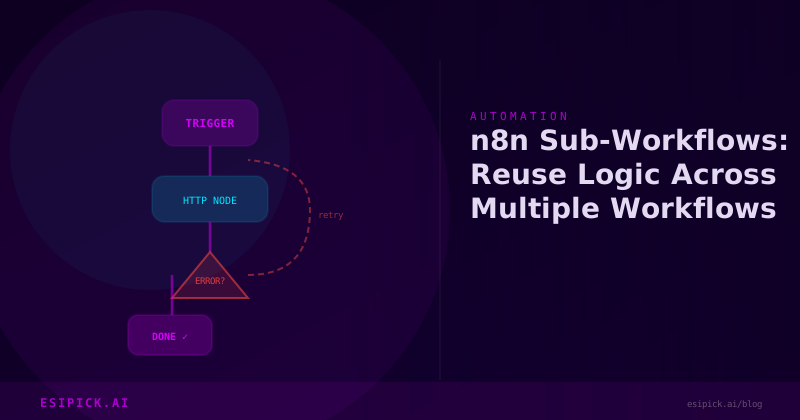
n8n Sub-Workflows: Reuse Logic Across Multiple Workflows
After 15 years in automation, I've learned that the most efficient workflows aren't built from scratch--they're built from reusable pieces. That's where n8n sub-workflows changed the game for our automation practice at Esipick. In this post, I'll walk you through how to leverage sub-workflows to eliminate redundancy, reduce maintenance overhead, and scale your automation infrastructure without duplicating effort.
Why Sub-Workflows Matter
Early in my career, I'd create the same email parsing logic, API authentication, or data validation routine in workflow after workflow. Every time I needed to update that logic, I'd have to edit it in 5, 10, or 15 different places. One bug, multiplied across your entire workflow ecosystem. That's not sustainable.
Sub-workflows solve this by letting you extract common logic into reusable, parameterized flows that multiple parent workflows can call. Think of them as functions in traditional programming--you write the logic once, call it anywhere, update it everywhere automatically.
Real-World Example: Customer Data Enrichment
Let me show you a practical example from one of our clients. They needed to enrich customer records with external data from three different sources: a CRM, an email validation API, and a firmographic database. Rather than building the enrichment logic three separate times, we created a single n8n sub-workflow called "Enrich Customer Data."
Here's the high-level structure:
- Main workflow receives a customer ID
- Calls the "Enrich Customer Data" sub-workflow with that ID as input
- Sub-workflow fetches data from all three sources in parallel
- Returns a consolidated object back to the parent workflow
- Parent workflow sends enriched data to multiple destinations (Airtable, Slack, email)
The beauty here? If the client adds a fourth data source later, we update the sub-workflow once. Every workflow calling it automatically gets the new data.
Step-by-Step: Creating Your First Sub-Workflow
Step 1: Create a New Workflow
In n8n, click "Create New" and build your sub-workflow like any other workflow. Let's say we're building a sub-workflow for "Validate Email Address."
Step 2: Use a Trigger Node
The key difference: start with a "Workflow Trigger" node instead of a typical trigger like Webhook or Schedule. This transforms your workflow into a callable sub-workflow. You'll see an option like "As Sub-workflow."
Step 3: Define Input Parameters
Click the "Workflow Trigger" node and define your input schema. For our email validation example:
- Parameter: email (string)
- Parameter: check_deliverability (boolean, optional)
n8n will prompt you for a JSON schema. Keep it simple--just the fields your sub-workflow needs to operate.
Step 4: Build Your Logic
Add your nodes as usual. Call that email validation API, check against your database, whatever the sub-workflow's job is.
Step 5: Return Output
End with a "Return" node (not a standard node, but available when you're building sub-workflows). Structure your return data as a JSON object. Example:
{
  "isValid": true,
  "domain": "example.com",
  "disposable": false,
  "risky": false
}
Step 6: Call It from a Parent Workflow
In any other workflow, add an "Execute Workflow" node. You'll see a dropdown listing all your sub-workflows. Select "Validate Email Address," map your email field to the email parameter, and you're done. The parent workflow will receive that return object in the output.
Pro Tips from Years of Automation Work
Keep Sub-Workflows Focused
A sub-workflow should do one thing well. Don't cram your entire lead enrichment, scoring, and assignment logic into one sub-workflow. Break it into "Enrich Lead," "Score Lead," and "Assign Lead." Smaller, focused sub-workflows are easier to test, reuse, and maintain.
Version Your Logic
If you need to change a sub-workflow's behavior and you have many parent workflows calling it, consider creating a new version first (rename the old one to "_deprecated"). Run both in parallel for a week, then sunset the old one. This prevents breaking existing workflows unexpectedly.
Error Handling Matters
A sub-workflow that silently fails is worse than no sub-workflow at all. Use Try-Catch nodes within your sub-workflow and return a status field (success/error) so parent workflows know what happened.
Test Independently
Before calling a sub-workflow from 10 parent workflows, test it standalone. Execute it with sample data, verify outputs, confirm error scenarios work as expected. This saves debugging headaches later.
A Real Metric That Matters
One of our clients had 8 workflows that each sent email notifications. We extracted that logic into a "Send Formatted Email" sub-workflow. Result: 40% less code to maintain, updates to email templates now take 5 minutes instead of an hour, and we caught an email encoding bug once and fixed it everywhere instantly.
When NOT to Use Sub-Workflows
I'll be honest: they're not always the answer. If you have a single-use workflow that's simple and self-contained, don't over-engineer it with a sub-workflow. You want to reduce cognitive overhead, not add it. Use sub-workflows when you see the same pattern appearing in two or more workflows, or when a piece of logic is complex enough that it deserves its own testing and documentation.
Frequently Asked Questions
Q: Do sub-workflows add latency to my workflows?
A: Minimally. There's negligible overhead in calling a sub-workflow versus executing the same nodes inline. In practice, we see less than 100ms added latency per call, which is insignificant for most use cases. The maintenance and scalability gains far outweigh this small cost.
Q: Can I pass complex objects as parameters to sub-workflows?
A: Absolutely. n8n supports passing JSON objects, arrays, and nested data structures. If your sub-workflow needs to process an entire customer record with addresses, contact info, and history, you can pass that as a single object parameter. Just define the schema in your Workflow Trigger node.
Q: What happens if a sub-workflow fails? Does it stop the parent workflow?
A: By default, yes. If a sub-workflow throws an error, the parent workflow stops. But you can configure error handling: add an "Execute Workflow" node and set it to "Catch" mode, or use a Try-Catch node to handle failures gracefully. Return an error status from the sub-workflow so the parent can decide whether to retry, skip, or alert someone.
The Path Forward
Sub-workflows are one of those features that seem small at first, then become foundational to how you work once you start using them. After 15 years building automations, I can tell you that systems built with reusable components scale better, break less often, and are way easier to debug and improve. Start small--pick one piece of logic you find yourself repeating--extract it into a sub-workflow, and see how it feels. You'll quickly see why this pattern has become essential to our practice.
Want this automated for your business?
I build n8n workflows, WhatsApp automations, and AI pipelines — starting from $300. Most go live in under a week.
Get a Free Audit →